Laravel N+1 Query Problem: How to Detect and Fix It
The Laravel N+1 query problem is when one listing query is followed by one extra query per row. You spot it in Telescope or the query log, then fix it with with(), withCount(), and nested eager loads.
Quick Answer
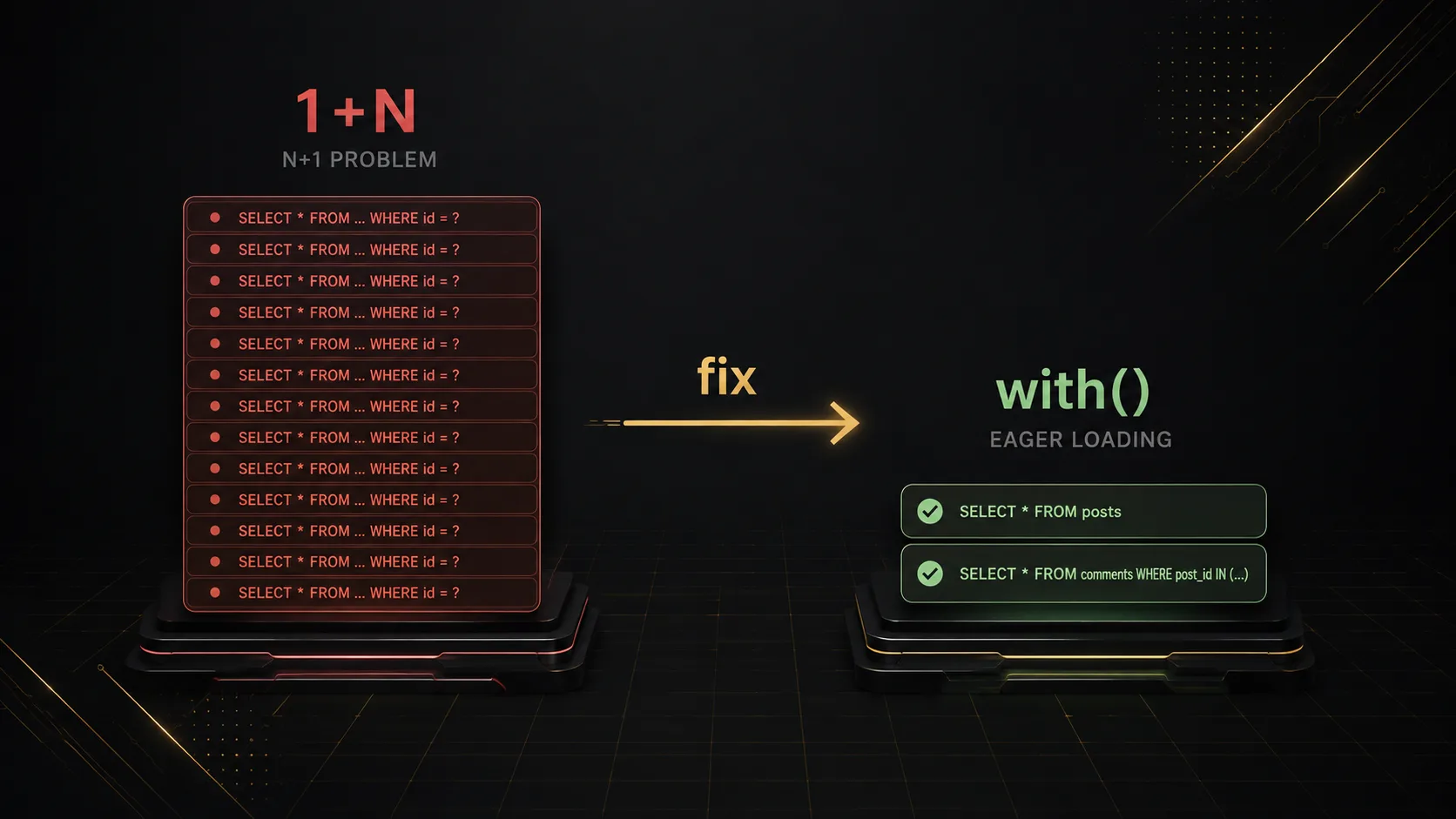
N+1 is Eloquent being lazy in a loop. You load posts with one query, then $post->author or $post->comments fires a new SELECT for every row — 1+N, not a slow join. I look for it on index endpoints and Blade listings. Telescope (or a query log) shows the same SQL with a changing post_id. Put with() or withCount() on that listing query. Do not “fix” it inside the foreach.
Quick Facts
| Item | Details |
|---|---|
| Topic | Laravel N+1 Query Problem |
| Category | Laravel / Eloquent / Performance |
What Is Laravel N+1 Query Problem?
Laravel did not invent this. Any ORM will do it if you walk a collection and poke relations that were never loaded.
Eloquent just makes it easy to miss. Post::latest()->get() looks finished. Then the resource or the Blade file reads $post->author->name and you get another round trip. Eight posts on your laptop? Fine. Two hundred on production and the same code sits in Telescope like a drumbeat: where post_id = 1, = 2, = 3…
A slow join is one fat query. N+1 is a pile of skinny ones. If you already wired Eloquent relationships and never called with(), you basically opted into this.
Why It Matters
- Page size 20 can already be ~60 queries if you touch author, tags, and comments. Bump to 100 and you are in the hundreds. The app does not “feel a bit slow.” Connections stack up.
$post->author->nameis the kind of line nobody flags in review. It only blows up in a loop.- JSON APIs fail first. The SPA still paints a skeleton; the DB is already busy. I have watched Nuxt wait on
/api/postswhile Laravel burned a query per field per row.
How It Works
Parents load. Relations stay empty until you read them as a property. Property access in a loop = one query per parent. That is the whole trick.
flowchart TB
  Q0["Query 0: SELECT * FROM posts"]
  Q0 --> P1[Post 1]
  Q0 --> P2[Post 2]
  Q0 --> PN[Post N]
  P1 --> Q1["Query 1: comments WHERE post_id = 1"]
  P2 --> Q2["Query 2: comments WHERE post_id = 2"]
  PN --> QN["Query N: comments WHERE post_id = N"]
with('comments') changes the second step. Eloquent grabs the post ids and runs one WHERE post_id IN (…). Same comments. Query count stops tracking how many cards you rendered.
flowchart LR
  A["Query 1: SELECT * FROM posts"] --> B["Collect post ids: 1,2,…N"]
  B --> C["Query 2: SELECT * FROM comments WHERE post_id IN (…)"]
  C --> D["Attach comments onto each Post in memory"]
I keep three cases in my head:
- You actually need the related models →
with('comments'). - The UI only shows “12 comments” →
withCount('comments')and readcomments_count. Hydrating twelve Comment models to call->count()is how memory dies on a popular post. - You already have the collection in hand →
$posts->load('tags')once. Not$post->load()inside foreach. That last one is still N+1 with extra steps.
flowchart TB
  subgraph bad [Need only a number]
    B1[Load all Comment models] --> B2[Call count in PHP]
  end
  subgraph good [Need only a number]
    G1["withCount comments"] --> G2["comments_count on Post"]
  end
Step-by-Step Guide
Step 1: Prove the query count
Guessing wastes time. Hit the slow URL with Telescope Queries open. Debugbar works. So does a dirty DB::listen(fn ($q) => logger($q->sql)); if you are stuck without those.
flowchart LR
  Hit[Hit /posts index] --> Log[Open Telescope Queries]
  Log --> Pattern{"Same SQL repeating with different post_id?"}
  Pattern -->|Yes| N1[You have N+1]
  Pattern -->|No| Other[Look for slow join / missing index]
Write the number down. Something like “20 posts, 61 queries.” If you skip that, you will swear you fixed it and never re-check.
Step 2: Eager-load on the root query
The listing query is the place. Controller, invokable, a scopeIndex() — I do not care, as long as it is not the Blade loop.
flowchart TB
  subgraph before [Before]
    C1[Controller: Post::latest get] --> L1[Loop / serializer]
    L1 --> R1["Touch author, tags, comments"]
  end
  subgraph after [After]
    C2["Controller: Post::with author tags + withCount comments"] --> L2[Loop / serializer]
    L2 --> R2[Relations already loaded]
  end
$this->author. The query has to have loaded it already.// Before — looks innocent, scales badly
$posts = Post::latest()->paginate(20);
// After — relations declared up front
$posts = Post::query()
->with(['author', 'tags'])
->withCount('comments')
->latest()
->paginate(20);Need the comment author’s name too? Dot path:
Post::with(['comments.author', 'tags'])->paginate(20);flowchart LR P[posts] --> C[comments] C --> A[users as author] P --> T[tags]
comments.author means load comments, then the author on those comments. Miss the nested bit and you N+1 the users table next.Sanity check: bump per_page from 10 to 50. Query count should barely move. If it climbs, you still have a lazy relation — usually one you added to the Resource last Thursday.
Step 3: Guard so it cannot sneak back
Local/staging only:
// AppServiceProvider::boot() — local only
Model::preventLazyLoading(! app()->isProduction());
Forget with('tags') and you get LazyLoadingViolationException instead of a silent production bill. I still list with() / withCount() on the same lines as paginate() so the next person sees the contract.
If you want to be mean in tests, trigger a lazy load on purpose once and assert it throws. Then leave the real index green with eager loads in place.
Real-World Example
Laravel 11 API, Nuxt admin, GET /api/posts. Payload: title, author name, tag names, comment count.
return PostResource::collection(Post::latest()->paginate(50));Resource:
'author' => $this->author->name,
'tags' => $this->tags->pluck('name'),
'comments_count' => $this->comments->count(),
Local fixture had a dozen posts. Nobody opened Telescope. Production paginated 50. Gateway timeout. Telescope was almost funny: posts once, then users / pivot / comments × 50.
sequenceDiagram
  participant Nuxt
  participant API
  participant DB
  Nuxt->>API: GET /api/posts?page=1
  API->>DB: SELECT * FROM posts LIMIT 50
  loop For each of 50 posts
    API->>DB: SELECT * FROM users WHERE id = ?
    API->>DB: SELECT tags via post_tag
    API->>DB: SELECT * FROM comments WHERE post_id = ?
  end
  Note over API,DB: ~1 + 150 queries. Timeout under load.
$posts = Post::query()
    ->with(['author', 'tags'])
    ->withCount('comments')
    ->latest()
    ->paginate(50);

// resource:
'comments_count' => $this->comments_count,
sequenceDiagram participant Nuxt participant API participant DB Nuxt->>API: GET /api/posts?page=1 API->>DB: SELECT * FROM posts LIMIT 50 API->>DB: SELECT * FROM users WHERE id IN (…) API->>DB: SELECT post_tag / tags for those posts API->>DB: aggregate comments_count per post Note over API,DB: Query count stays flat when page size grows.
comments_count is an attribute now, not a loaded collection.Same PR had a second bug that looked like N+1 but was not: author_id on posts, belongsTo(User::class) with no extra argument. SQL wanted user_id. Authors came back null. Eager loading will happily load nothing. Pass the key.
Pros & Cons
Advantages
- Once you know which keys the Resource touches, the fix is usually one
with()line. - Telescope makes the pattern obvious. You are not profiling vibes.
preventLazyLoading()is annoying in local and that is the point.
Disadvantages
with('everything')on every query is how you over-fetch. Load what this response uses.a.b.c.dstill hurts. At some point a dedicated query or a cached fragment is less cute and faster.- Nothing in PHP forces this. Ship without Telescope and you will rediscover it in prod.
Best Practices
- Keep
with()/withCount()next to thepaginate()that feeds the Resource. Future you will not hunt two files. - Number on the card →
withCount. Full nested objects →with. - After you add a field to an API Resource, open Telescope again. That field is how N+1 comes back.
preventLazyLoading()outside production. Production should already have the loads; the guard is a seatbelt for the next PR.- Conditional includes: either
with()only what the request asked for, orwhenLoadedin the Resource so a missing eager load fails loudly instead of lazy-loading.
Common Mistakes
foreach ($posts as $p) { $p->load('tags'); }— still N queries. Load the collection once:$posts->load('tags'), orwith()up front.$this->comments->count()in a Resource. That pulls every comment.withCount('comments'), then$this->comments_count.- Relation method is
author(), you wrotewith('user'). Eloquent will not guess. Match the method name. - You added a
joinand assumed you were done, then the Resource still lazy-loads tags. Check the log anyway. $post->comments->where('approved', true)filters in memory after a full load. Constrain the query:$post->comments()->where('approved', true)->get(), orwith(['comments' => fn ($q) => $q->where('approved', true)]).
Frequently Asked Questions
What is the Laravel N+1 query problem?
One query loads the list. Each row then triggers another query for a relation. Total is about 1+N, or 1+N times how many relations you touch. with() / withCount() load those rows in bulk so the count stays small.
How do I detect N+1 in Laravel?
Telescope on the slow page. Same relation SQL, different parent ids, over and over. Raise per_page. If queries climb with rows, you are not done.
N+1 vs a slow join?
N+1 is many small queries that scale with rows — eager load. A slow join is one heavy query — indexes, fewer columns, sometimes raw SQL. Mixing them up wastes a day.
Is fixing N+1 worth it?
On any listing that touches relations, yes. Local seed data hides it. Production page size does not. I have seen a five-minute with() remove timeouts people were blaming on the server.
What is the difference between with() and load()?
with() hangs off the query builder before models exist. load() is for a collection you already have. Both are fine. load() inside a per-item loop is not.
Summary
N+1 is lazy relations in a loop. Telescope repeats the SQL. The fix sits on the listing query: with(), withCount(), nested dots if you need them. Local preventLazyLoading() stops the next PR from undoing it quietly.
Pick the fattest index you have, note the query count, add the missing loads, raise per_page, confirm the count stays boring.
Related: Laravel Eloquent Relationships.
Key Takeaways
- N+1 = one parent query plus one relation query per row (times each relation you touch).
- Telescope repeating the same SQL with a new id is the tell. Do not argue with the log.
- Fix on the root query.
withCountwhen you only need a number. - Nested data uses dots:
with(['comments.author']). preventLazyLoading()in local is louder than a production timeout.
Comments
0 comments · new ones appear after approval
No comments yet. Be the first to share your thoughts.
Leave a comment
Your comment will be reviewed before it appears.