Cursor vs Claude vs ChatGPT: Which AI Actually Helps with Laravel & Nuxt?
Tired of constantly copying and pasting code between your Vue frontend and PHP backend? I tested Cursor, Claude Code, and ChatGPT to see which one actually speeds up a real-world Laravel and Nuxt workflow. Here is my breakdown.
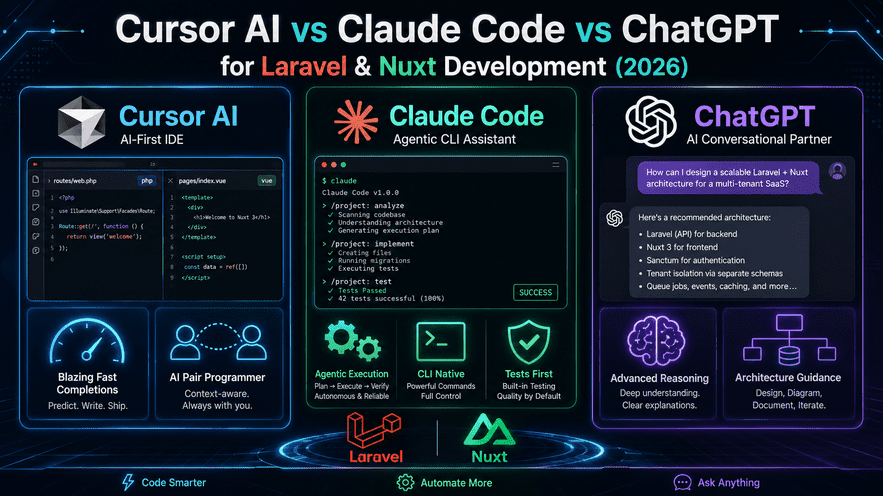
As a full-stack developer who spends most of my day bouncing between Laravel and Nuxt 3, I know the exact pain of context switching. One minute you're structuring Eloquent models in PHP, and the next you're trying to debug a weird hydration mismatch in your Vue 3 composition API.
Over the last year, AI coding tools have evolved way past basic code completion. We now have fully-fledged AI IDEs, autonomous terminal agents, and conversational models. I've spent serious time putting Cursor, Claude Code, and ChatGPT to the test in my actual day-to-day workflow.
If you’re trying to figure out which tool actually speeds up your development (and which one just gets in the way), here is my honest breakdown.
1. Cursor: My Absolute Daily Driver
If I had to pick just one tool to keep, it would be Cursor. Period.
Because it’s a fork of VS Code, it feels instantly familiar, but its context awareness is what makes it a game-changer for full-stack work. When I need to build a new feature—say, a user dashboard—I can open my Laravel Controller, my API route file, and my Nuxt frontend component side-by-side.
Using Cursor's "Composer" mode, I can just tell it: "Wire up this endpoint and build a data table in the Nuxt component to display it." It reads all the open files, understands how my backend data structures map to my frontend state, and writes the code across both ends. Best of all, I get to review the inline diffs line-by-line before accepting anything. It keeps me in the driver's seat.
2. Claude Code: The Terminal Workhorse
While Cursor is great for writing features, Claude Code is a different beast entirely. It lives directly in your terminal and acts more like an autonomous junior developer.
I’ve found Claude Code to be incredibly useful for the heavy, tedious lifting. Need to upgrade a Nuxt module across thirty different components? Or maybe refactor a massive multi-tenant database schema and update all the related migrations and factories? You just give Claude Code the command.
It crawls the repository, runs php artisan or npm commands, reads the error logs if a test fails, and iteratively fixes the code until it works. It’s brilliant for DevOps tasks and massive refactors, but using it means you shift from being an active coder to a project supervisor.
3. ChatGPT: The System Architect
I’ll be honest—I don’t use ChatGPT for actual inline coding anymore. Without native access to my local file system, constantly copying and pasting snippets back and forth between the browser and my IDE is just too slow.
However, ChatGPT is still my go-to "Architect." Before I write a single line of code for a complex feature, I open ChatGPT to brainstorm. Whether I'm planning out a complex polymorphic relationship in Laravel, designing an authentication flow, or just trying to rubber-duck my way through a stubborn server-side rendering logic issue, having that isolated sandbox is invaluable.
The Verdict: My Ultimate Workflow
You don't have to lock yourself into a single ecosystem. After months of testing, here is the workflow that currently saves me the most time:
The Blueprint: I use ChatGPT in the browser to map out my database schemas and high-level API architecture before starting.
The Build: I use Cursor as my primary IDE. It handles 90% of my daily coding, seamlessly bridging the gap between my PHP backend and TypeScript frontend.
The Refactor: I keep Claude Code on standby in the terminal for when I need to execute massive, repo-wide changes or automate tedious backend testing.
The AI landscape is moving fast, but right now, this combo is the ultimate productivity hack for any Laravel and Nuxt developer.
Comments
0 comments · new ones appear after approval
No comments yet. Be the first to share your thoughts.
Leave a comment
Your comment will be reviewed before it appears.